Brookhaven RP Lego Event

Description
# ⚡ Brookhaven Event Lego – Auto Vehicle Bricks Collector ⚡
Description:
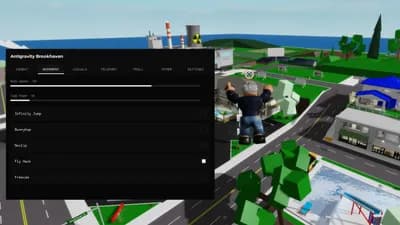
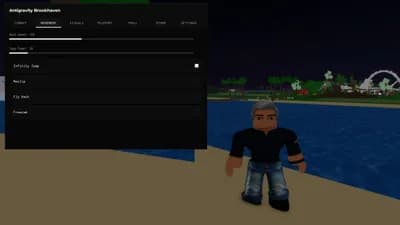
This script provides a powerful automation solution for the Brookhaven Event Lego. It allows you to automatically teleport your character to the exact location of all collectible bricks belonging to a selected vehicle. Designed for efficiency, it makes brick collection faster and significantly easier.
Key Features (V10.10):
* Instant Teleport: Quickly move to the main quest zone.
* Precise Scanning: Accurately locate and detect every brick of the selected vehicle model.
* Auto-Collection: Automatically teleport between all detected bricks in sequence until the collection is complete.
* Full Control: Use the 'Stop Teleport' function to instantly cancel the process.
* Anti-Spam Support: Integrated security measures for help requests.
Supported Vehicles:
* EggHunt_LegoExcavator
* EggHunt_LegoPoliceCar
* EggHunt_LegoFireTruck
NEW UPDATE: V10.10 – Optimized Stability & Support
Includes Anti-Spam measures, Dual-Channel Support (Discord/Roblox), and enhanced teleportation logic for smoother collection.
How to Use:
1. Teleport: Click 'Teleport to Quest Zone' in the Main Teleporter tab.
2. Select Quest: In the game, click one of the available quests ('Claim' or 'Ready').
3. Select Vehicle: In the dropdown list, select the vehicle that matches your current quest (e.g., select EggHunt_LegoExcavator).
4. Scan: Press 'Scan Bricks' to detect all available bricks of the chosen vehicle.
5. Auto Collect: Press 'Teleport to All Bricks' to automatically move to each brick for collection.
6. Stop: Use 'Stop Teleport' to cancel the automated process anytime.
Creator: fgh567
Advertisement
Remove adsAdvertisement
Remove ads






Comments
How to use : https://www.youtube.com/watch?v=Nb0H5FkOq0I